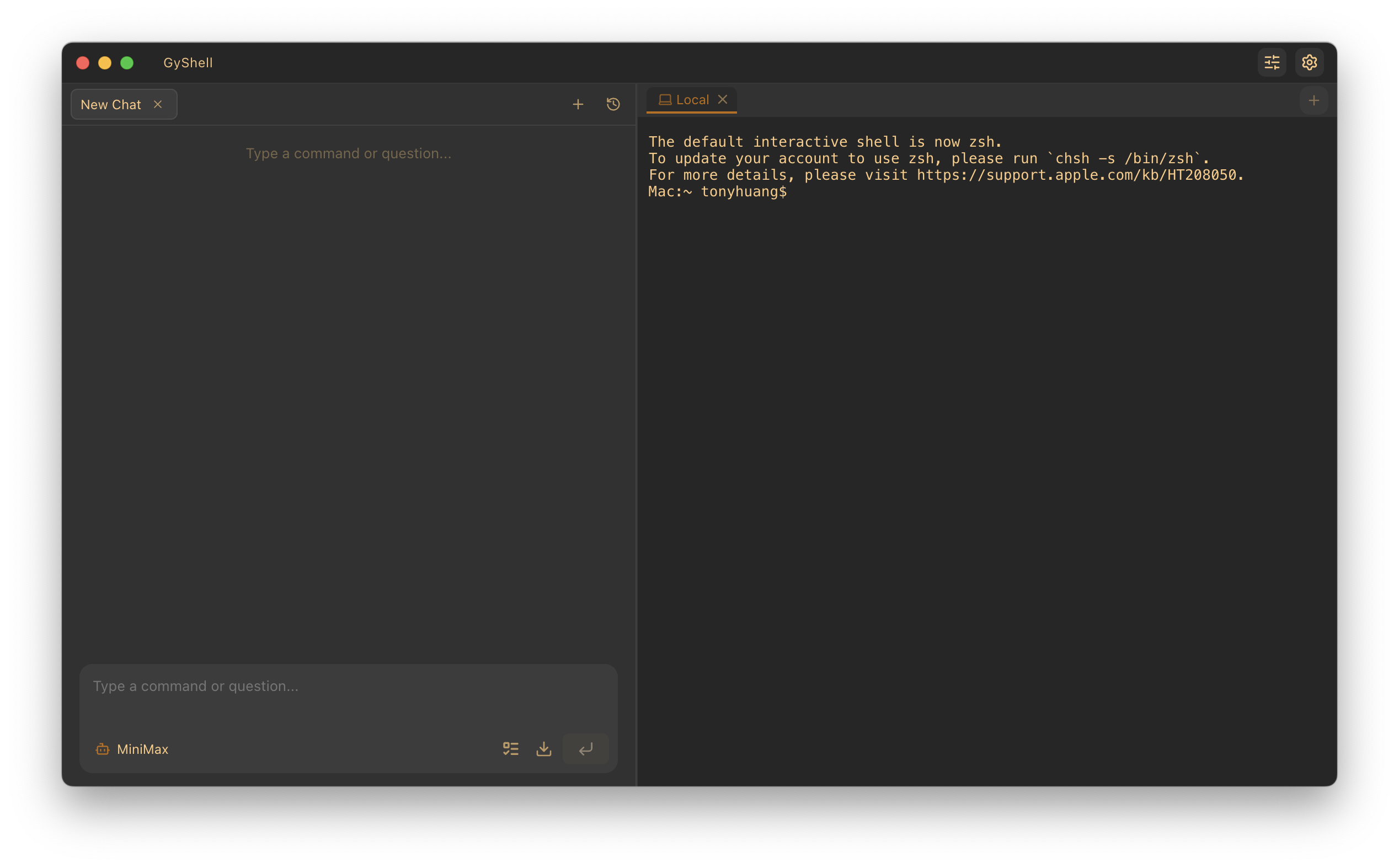
The terminal has always been the heart of a developer’s workflow. From the early days of Bash to the modern era of Zsh and PowerShell, we’ve seen steady improvements in UI and command-line ergonomics. However, the fundamental way we interact with the shell remained unchanged for decades: we type a command, wait for output, and then decide what to do next.
That paradigm is finally shifting. With the rise of Large Language Models (LLMs), the “terminal” is being reimagined as an intelligent agentic environment. Leading this charge is GyShell, a robust, AI-native terminal that doesn’t just display text—it thinks, reasons, and executes tasks alongside you. In this guide, we’ll explore why the GyShell AI agent terminal is a game-changer for developers and system administrators alike.
The Terminal Reborn: Moving Beyond the Sandbox
Most AI coding assistants operate in a “sandbox”—a limited, isolated environment where they can run safe scripts but lack access to your real-world development environment. When you ask them to fix a bug or deploy a service, they often provide code snippets that you must manually copy, paste, and debug.
GyShell breaks these walls down. It is an AI-native terminal built from the ground up to provide continuous, human-like interaction with your actual shell environment. Unlike traditional AI helpers that “run and forget,” the GyShell Agent maintains a persistent state. It observes the output of every command, reasons about the results, and adjusts its strategy in real-time. If a command fails, it reads the error message and attempts a fix immediately, just as a human developer would.
Compared to other tools like Goose AI Agent Terminal, GyShell focuses heavily on the “native terminal” experience, offering deep integration with professional-grade features that power-users demand.
Key Features: Intelligence Meets Professional Power
What makes the GyShell AI agent terminal stand out in a crowded market of AI tools? It’s the combination of advanced agentic reasoning and high-end terminal capabilities.
1. Agent Intelligence & “Thinking Mode”
GyShell features a dedicated Thinking Mode. Before executing a complex instruction, the agent enters a reasoning phase. It analyzes the task, considers potential side effects, and maps out a sequence of commands. This “Chain of Thought” process significantly reduces the risk of destructive actions and increases the accuracy of complex automation.
Furthermore, GyShell understands Context Awareness. It doesn’t just see the text you type; it “sees” the entire terminal buffer, understands your Current Working Directory (CWD), and can even process files or images you highlight in the UI.
2. Multi-Tab Mastery
One of GyShell’s most impressive feats is its ability to orchestrate tasks across multiple terminal tabs simultaneously. A single agent session can:
- Compile code in Tab 1.
- Monitor streaming logs in Tab 2.
- Run a deployment script in Tab 3.
The agent maintains a global context of your workspace, ensuring that actions in one tab are informed by results in another. To prevent chaos, GyShell implements a Smart Locking Mechanism—when the agent is actively controlling a tab, that tab is “locked” to prevent user command collisions, ensuring a safe hand-off between human and AI.
3. Professional-Grade SSH Support
While many AI terminals are limited to local environments, GyShell is a first-class SSH Client. It supports:
This makes it the perfect tool for managing remote infrastructure where AI can assist in troubleshooting production issues directly.
4. MCP and The Skills System
GyShell is built for extensibility. It supports the Model Context Protocol (MCP), allowing you to connect the agent to any MCP-compliant server to give it new “senses” or tools. Additionally, users can create Skills—markdown-based definitions that provide the agent with specialized domain knowledge or Standard Operating Procedures (SOPs).
Practical Use Cases: Remote Server Management and Beyond
How does this translate to real-world productivity? Let’s look at a few scenarios where the GyShell AI agent terminal shines.
Automated Troubleshooting
Imagine a remote server is throwing 500 errors. Instead of manually grepping through thousands of lines of logs, you can simply tell GyShell: *”Check the Nginx and application logs for recent errors, find the root cause, and suggest a fix.”* The agent will SSH into the server, navigate the file system, tail the logs, and present you with a summarized diagnosis and the necessary fix command.
Intelligent Code Refactoring
With the `create_or_edit` tool, GyShell doesn’t just overwrite files. It performs surgical string replacements. You can ask it to *”Update all instances of the old API endpoint in the `/src` directory to the new version,”* and it will intelligently scan, verify, and edit only the necessary lines across multiple files.
Infrastructure as Code (IaC)
Managing Terraform or Kubernetes often involves repetitive cycles of `plan` and `apply`. GyShell can handle the entire loop: *”Run terraform plan, if there are no breaking changes to the database, go ahead and apply, then notify me when the resources are provisioned.”*
Installation: Getting Started with GyShell
GyShell is an Electron-based desktop application, making it cross-platform (macOS and Windows).
Prerequisites:
Step-by-Step Setup: 1. Clone the Repository: “`bash git clone https://github.com/MrOrangeJJ/GyShell.git cd GyShell “` 2. Install Dependencies: “`bash npm install “` 3. Run in Development Mode: “`bash npm run dev “` 4. Build for Production: * macOS: `npm run dist:mac` * Windows: `npm run dist:win`
Once launched, you can connect your favorite LLM by providing an OpenAI-compatible API key and Base URL in the settings.
Verdict: The Future of the CLI
The GyShell AI agent terminal represents a significant leap forward in developer tooling. It isn’t just a wrapper for a chatbot; it is a sophisticated orchestration layer that bridges the gap between high-level reasoning and low-level execution.
By combining the power of agentic AI with the reliability of a professional SSH client, GyShell empowers developers to handle complex infrastructure and coding tasks with unprecedented speed. If you are looking for a terminal that “thinks with you,” GyShell is currently one of the most promising open-source projects in the AI-native space.
Ready to upgrade your workflow? Head over to the GyShell GitHub repository and start exploring the future of the terminal today.
Altruistic Tips: Getting the Most Out of Your AI Terminal
At Hise.lol, we believe in using technology responsibly and effectively. Here are a few tips to maximize your productivity with GyShell:
— *Keywords: GyShell AI agent terminal, AI terminal, SSH client, autonomous shell, developer productivity, MCP terminal.*